
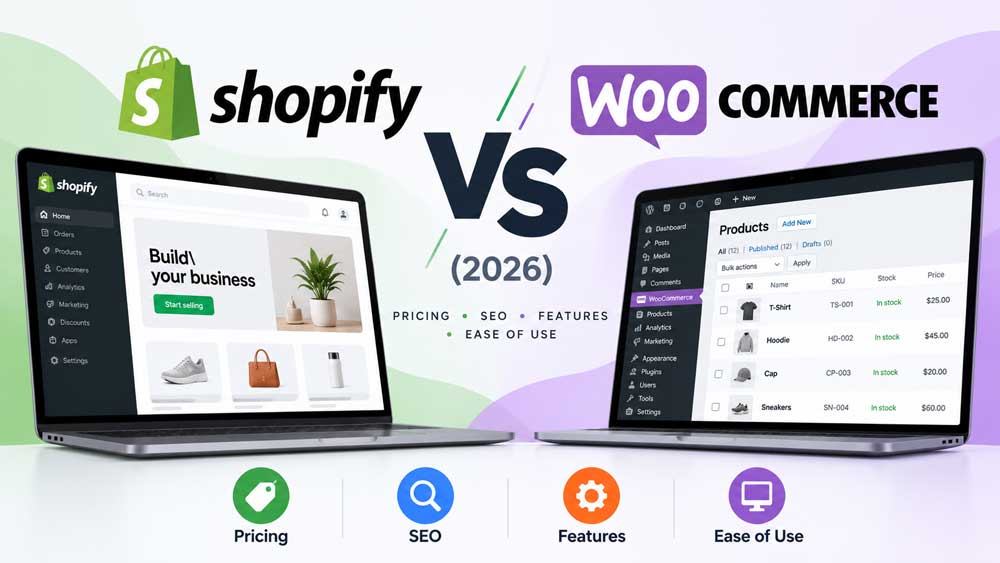
E-COMMERCE PLATFORM COMPARISON · 2026
Shopify and WooCommerce can both power an online store, but they give the merchant different responsibilities. Shopify packages commerce software, hosting, checkout and routine platform maintenance into a managed subscription. WooCommerce is a free, open-source commerce plugin for WordPress that offers broad flexibility while leaving hosting, maintenance and many integration decisions with the store owner.
The better choice depends on the team running the store, the products being sold, how customized the business needs to be, and the actual cost of operating each platform over time. This Shopify vs WooCommerce comparison explains those trade-offs across pricing, payments, design, SEO, security, migration, and growth.
At a glance
Shopify: Consider it for a managed setup, bundled hosting, and a guided merchant workflow.
WooCommerce: Consider it if you already work with WordPress, need deeper customization, or want to control hosting and technical choices.
Decision rule: Compare the full operating workflow, not the software license alone.
Editorial methodology: This guide reviews published product documentation and official pricing as checked October 23, 2026. Rival Ratings has not conducted a controlled head-to-head test of live paid stores, conversion rates, or support response times. Feature availability and prices can vary by country and subscription, so verify the official terms before making a purchase.
Quick verdict: Shopify vs WooCommerce
Choose Shopify when you want a managed commerce platform and prefer to spend less time operating the underlying website. It offers a bundled hosting and checkout stack, guided store setup, and integrated selling features. However, subscription costs, payment fees, add-ons, and checkout-customization limits matter as a store grows.
Choose WooCommerce when control over a WordPress storefront, extensions, hosting, or unusual workflows is important. You can choose different service providers and tailor the implementation, but the resulting reliability, speed, security and maintenance costs become your responsibility or your agency’s responsibility.
Shopify may be the better fit if…
- You want hosting, platform updates and a managed core included in a subscription.
- Your small team values a guided admin and established commerce workflows.
- You prefer a single main platform vendor for a large share of the storefront.
WooCommerce may be the better fit if…
- You want to choose the host, developer stack and many infrastructure tools.
- Your site already relies heavily on WordPress content and custom functionality.
- You can manage—or hire help for—backups, updates, performance and compatibility.
Shopify vs WooCommerce at a glance
| Decision factor | Shopify | WooCommerce |
|---|---|---|
| Platform model | Hosted commerce subscription | Open-source WordPress plugin |
| Core software fee | Paid plan for full storefront | Core plugin is free |
| Web hosting | Included with online-store plans | Choose and pay for hosting |
| Technical maintenance | Core platform maintained by Shopify | Merchant, host or developer maintains stack |
| Design customization | Themes, apps and APIs within platform limits | WordPress themes, plugins and custom code |
| Checkout and payments | Integrated payment stack; external gateway fees may apply | Choose payment processors and extensions |
| SEO | Built-in essentials plus merchant controls | WordPress-based controls, often enhanced with plugins |
| Ownership and portability | Managed platform with export and API options | More control over application and data environment |
| Best fit | Teams prioritizing managed operations | Teams prioritizing flexibility and direct technical control |
These are differences in operating models, not an independently tested overall ranking. A highly customized Shopify store may be more complicated than a simple WooCommerce store, and a well-managed WooCommerce deployment may be easier to run than a poorly configured one.
1. Pricing: what does each platform actually cost?
Shopify subscription prices in 2026
The official U.S. Shopify pricing page lists Basic, Grow, Advanced and Plus plans. On October 23, 2026, Basic is advertised at $29 per month billed yearly or $39 when paid monthly; Grow at $79 yearly-billed or $105 monthly-billed; and Advanced at $299 yearly-billed or $399 monthly-billed. Shopify Plus is shown from $2,300 per month under its contract terms. These are U.S.-dollar reference prices; regional plans and promotional offers may differ.
| Shopify plan | Monthly equivalent with annual billing | If billed monthly | Typical consideration |
|---|---|---|---|
| Basic | $29 | $39 | Solo merchants; no additional standard staff accounts |
| Grow | $79 | $105 | Small teams; up to five additional staff accounts |
| Advanced | $299 | $399 | Larger operations and more advanced shipping and regional options |
| Plus | From $2,300 under contract | Custom terms | Complex enterprise and B2B requirements |
The subscription is only part of total cost. Budget for paid themes, third-party apps, processor charges, domain registration, development, content work and any in-person POS requirements. Some features are restricted to higher tiers. A Shopify store using an external payment processor may also owe platform-level third-party transaction fees, depending on location and plan.
WooCommerce pricing in 2026
WooCommerce states that its core plugin is free and has no platform subscription or revenue-share fee. That does not make the store free to run. WooCommerce’s own pricing guidance gives a broad illustrative hosting range of $25–$350 per month for many stores, depending on traffic and performance, and examples of paid extensions from $29–$299 annually per extension. Themes, agency costs, payment processing, backups, malware protection, staging and technical support may be additional.
Those figures are examples, not quotes for your situation. A low-traffic store on reliable managed WordPress hosting can be inexpensive; a highly customized store can cost considerably more than Shopify. The cost comparison becomes meaningful only after including people, process and infrastructure—not simply the headline ‘free’ label.
A realistic total-cost framework
Compare the two platforms using the same 12-month assumptions: number of orders, average order value, eligible payment gateways, employees, stores, apps, fulfillment integrations, maintenance hours and expected customization. Add the first-time migration or setup cost separately from recurring operating costs. If one implementation saves substantial staff time, that should also be documented.
| Cost component | Shopify model | WooCommerce model |
|---|---|---|
| Platform / hosting | Plan usually bundles hosting | Hosting contract plus free core plugin |
| Payments | Processing fees; possible additional gateway fees | Chosen processor’s fees; gateway-dependent terms |
| Extensions / apps | Monthly or annual app subscriptions | Free or paid extensions, plus compatibility work |
| Upkeep | Core platform operations managed | WordPress/plugins/themes/hosting updated and monitored |
| Development | Theme/API/store customization as needed | Themes, plugins, custom code and infrastructure as needed |
| Migration and training | Imports, theme work, configuration and training | Imports, hosting, plugins, configuration and training |
Bottom line on pricing: Shopify has a more visible platform subscription, while WooCommerce makes more cost components independently selectable. Neither can be called universally cheaper without a real workload and cost model.
2. Ease of setup and everyday store management
For a straightforward store, Shopify reduces the number of infrastructure decisions you need to make before selling: hosting and core commerce services are part of the platform. You still configure products, taxes, delivery, domains, returns, branding and legal pages, but the operational boundary is relatively clear. This is a major reason a small team may prefer it. Our Shopify Review (2026) covers its setup, checkout, subscription tiers and limitations in more detail.
WooCommerce runs inside WordPress. That is useful if you already own a substantial WordPress site or rely on its publishing environment, but you must decide on hosting, installation, security, plugins, backups, caching and checkout extensions. Managed WordPress hosting or a specialist developer can take on much of that burden for a fee. For a deeper look at those responsibilities and the free-core pricing model, see our WooCommerce Review (2026).
Practical test: On each platform, build a sample store with five products, variations, shipping zones, a discount, a refund, customer email notifications and one return. Record setup time, failure points, training needs and who can fix problems without a developer. Do not rank ease of use from marketing screenshots.
3. Design flexibility and checkout customization
Both platforms support branded storefronts, themes, product categories and common merchandising layouts. Shopify has a managed theme and app ecosystem and supports custom storefront development, but what you can change in checkout and other parts of the store depends on subscription features and supported extension points. Its own plan table distinguishes limited checkout customization from the fuller customization offered on Plus.
WooCommerce uses the WordPress theme and plugin ecosystem and permits deeper application-level modification, including PHP hooks, templates and other custom integrations. This flexibility is a strength when your business has an unusual product configurator, quoting system or content-led storefront. It is also a source of maintenance obligations: customizations should be documented, tested and checked after updates.
Decision test: List the five checkout and product-page changes you genuinely require. Check whether they are achievable with supported configuration before assuming that one platform can or cannot deliver them. Prioritize accessibility, mobile usability and payment reliability over visual novelty.
4. SEO: does Shopify or WooCommerce give you an advantage?
Neither platform guarantees higher search rankings. Store SEO depends on useful product content, technical accessibility, internal navigation, page speed, structured data where appropriate, links, and ongoing maintenance. The underlying platform changes what is easy to configure; it does not replace good content or site architecture.
Shopify documents built-in SEO foundations and editing of important metadata such as titles, descriptions and image alt text. Its SEO guidance recommends submitting a sitemap and creating useful content, while its site-structure guidance emphasizes readable hierarchy and navigation.
WooCommerce inherits WordPress’ content management and permalink controls. WooCommerce’s permalink documentation explains how product and category URL bases can be configured. WordPress plugins and custom themes can provide more SEO controls, but adding multiple conflicting plugins may complicate canonical tags, schema or site performance.
- Check that category and product pages have descriptive, distinct titles and useful copy.
- Review faceted filters, duplicate URLs, product variants, pagination and canonical behavior.
- Test mobile browsing, loading speed and keyboard accessibility on a real theme.
- Make internal links help shoppers move from buying guides to related products and categories.
- Plan 301 redirects and sitemap updates whenever a migration changes product URLs.
Winner for SEO: No automatic winner. A content-heavy team with WordPress expertise may value WooCommerce flexibility; a smaller team may benefit from Shopify’s managed foundations. Evaluate the actual implementation, not a generic platform score.
5. Payments, transaction fees and checkout reliability
Payments are a critical regional consideration. Shopify supports Shopify Payments in eligible markets and a range of other providers. According to Shopify’s third-party payment documentation, external gateways can have additional Shopify transaction fees. The exact rate and gateway availability depend on the country and plan, so a merchant should not assume U.S. rates apply locally.
Shopify’s billing documentation also explains that some third-party transaction fees are separate from the payment processor’s fees and are not returned when an order is refunded. The U.S. Basic plan currently lists a 2% third-party transaction fee, while higher tiers list lower rates; this should be verified against your store location.
WooCommerce allows merchants to choose payment gateways and processors subject to the available integrations. That can be attractive if a business needs a particular domestic payment method, but the owner must verify plugin support, transaction rates, settlement timing, PCI responsibilities and how disputes or refunds are handled. WooCommerce itself says it does not add a platform revenue-share fee on top of the chosen payment provider’s fees.
Practical test: Choose the country, currency and expected monthly order volume first. Calculate the total costs of your actual eligible gateways, then run a sandbox checkout including successful payment, failed payment, refund, partial refund and chargeback handling. The availability of local payment methods often matters more than a fractional difference in headline fees.
6. Hosting, security and maintenance
With Shopify, the platform vendor operates the underlying hosted commerce service. That reduces the merchant’s need to patch the core platform or operate web servers, but it does not remove responsibility for user access, fraud monitoring, product data, consent, app permissions and account security. Installations of third-party apps still need a security and privacy review.
With WooCommerce, the owner or service provider usually manages WordPress, WooCommerce, plugins, themes, hosting and backups. This gives flexibility over infrastructure but requires a clear update policy, staging environment, malware monitoring, recovery plan and reliable support. A professional managed WordPress package can reduce the direct operational burden, although it does not eliminate it.
Before launch: Test backup restoration, administrator MFA, least-privilege user roles, payment settings and a recovery procedure. A vendor’s uptime or security promise should not be treated as proof that your entire store workflow has been tested.
7. Products, inventory, shipping and international sales
Both platforms can handle physical and digital product catalogs, variants, discounts and order workflows, subject to configuration and extensions. The harder question is how the store handles exceptions: partial fulfillment, mixed shipping rules, out-of-stock products, returns, refunds and synchronization with a warehouse or point-of-sale system.
Shopify’s plans include multiple shipping and channel capabilities, with some advanced live-carrier and regional features limited by tier. WooCommerce shipping workflows can be built through core settings and extensions; some carrier features are explicitly country-specific. For example, the current WooCommerce Shipping documentation states that its label tool is available to U.S.-based, USD-denominated stores, and that live carrier rates require additional shipping-method extensions.
International merchants should also verify multi-currency payments, duties, taxes, language handling and data privacy rules for their operating countries. Not every advertised feature is available to every merchant.
Practical test: Create orders in two currencies, with variable products, backorders, discounts, split shipments and an exchange. Confirm that inventory updates, taxes and accounting exports remain correct. This test often reveals more than a broad feature list.
8. Apps, plugins and long-term portability
Shopify extends its managed product through third-party apps, theme customization and supported APIs. Those tools are convenient but may increase monthly cost, affect site performance or depend on a particular vendor. Review app subscriptions periodically and keep a record of which capabilities depend on which provider.
WooCommerce extends WordPress through plugins and custom code. It gives merchants more options to control their data and hosting environment, but an ecosystem with many plugins can introduce conflicts, overlapping functions and more updates to manage. Select extensions based on necessity and update history rather than number of features alone.
Moving between platforms is possible, but rarely a one-click operation. Shopify’s official WooCommerce migration guide covers products, customers, historical orders, reviews and CSV mapping; it warns that some data structures and product options require special handling. WooCommerce provides built-in product CSV export tools and additional migration options for other records.
Exit-plan test: Export 20 representative products with variants, images and metadata, along with sample orders and customer records where legally permitted. Record which fields transfer, what needs manual mapping, and how you will redirect old URLs. Portability should be demonstrated before a major switch.
Which platform is better for different businesses?
New solo merchants
Shopify can reduce setup decisions for sellers who want to get a standard catalog and checkout running without managing hosting. But test your country’s gateway availability and full transaction cost before committing.
Established WordPress publishers
WooCommerce can build directly on an existing WordPress content base, making it useful for product catalogs tied to guides, memberships or custom editorial workflows. Budget for safe integration and performance work.
Growing retail teams
Evaluate Shopify’s plan features and POS options against your real staffing, fulfillment and marketplace operations. WooCommerce may also work well with a reliable agency and integrations tailored to the business.
Highly customized stores
WooCommerce’s open-source architecture may offer more application-level control, while Shopify can still support extensive integrations and specialized plans. Compare concrete requirements, delivery teams and change-management costs rather than assuming complexity belongs to one platform.
A fair side-by-side trial before you choose
A strong purchase decision should be repeatable. Give both finalists the same list of requirements and use a small test catalog, with sandbox payments and clearly defined outcomes. Ask the staff who will process orders, answer customers and update products to participate.
- Build: Publish the same five products with two variants each and a clear product-category hierarchy.
- Sell: Test local payment methods, an international order, discount rules and an abandoned checkout.
- Fulfill: Process a split shipment, refund, return, stock adjustment and exchange.
- Market: Edit metadata, publish one product guide, add internal links and inspect a sitemap.
- Maintain: Check how updates, backups, support, permissions and data exports are handled.
- Cost: Compare real quotes and estimate twelve months of platform, app, hosting, processing and staff costs.
Rate each platform as pass, partial or fail for mandatory workflows. Document the reasons rather than turning subjective impressions into a made-up numerical winner. Where possible, keep this test on a staging or trial store so you do not affect live customer records.
Frequently asked questions
Shopify often requires fewer hosting and maintenance decisions at setup, which may help beginners. WooCommerce can still be approachable with managed hosting and professional assistance. The best choice depends on your skills, payment needs and the total workflow.
The WooCommerce core plugin is free to download and use. Running an online store still involves hosting, a domain, payment processing, security, optional extensions and time spent maintaining it.
Not always. Shopify offers bundled hosting with a recurring plan fee, while WooCommerce lets you select and pay for different components. A meaningful comparison needs actual traffic, extensions, gateway fees and maintenance assumptions.
Neither platform guarantees higher rankings. Both support useful SEO practices, though their technical controls and maintenance responsibilities differ. Content quality, crawlability, site structure and performance matter more than a generic platform label.
Yes. Shopify documents workflows for moving product and customer data and reviewing historical orders and reviews. Some data require CSV mapping, additional apps or manual work, and existing URLs should be redirected carefully.
Payment processing fees apply, and Shopify may also charge third-party transaction fees if you use certain external gateways. Exact rates depend on plan and location; check your store’s current pricing and payment settings.
WooCommerce can support substantial catalogs and complex operations when its hosting, database, caching, extensions and technical processes are engineered and maintained appropriately. Complexity and scale should be evaluated through workload-specific testing.
Our Final Say
Shopify is the more straightforward first shortlist choice for merchants prioritizing a managed commerce platform. It bundles the critical hosting and storefront services into subscriptions, making the operating boundary relatively clear. WooCommerce is the stronger shortlist choice when WordPress flexibility, open-source control and tailored integrations are worth maintaining.
Neither is automatically cheaper, better for SEO or more profitable. Payment availability, extensions, taxes, fulfillment requirements, staff skills and implementation quality are the deciding factors. Model the costs over at least twelve months and run a realistic checkout-and-operations trial before purchasing.
Rival Ratings recommendation: If you want a managed store and your required payment methods are supported, start by evaluating Shopify Basic or Grow. If you already operate a capable WordPress site or need unusual custom functionality, shortlist WooCommerce with dependable hosting and maintenance support. For a high-volume or highly customized store, compare real implementation proposals rather than only list prices.
Official sources and editorial disclosure
- Shopify pricing and plan features — subscription and payment comparison, checked October 23, 2026.
- WooCommerce pricing guidance — software model, hosting and extension examples.
- Shopify third-party payment providers — gateway availability and possible fees.
- Shopify third-party transaction fee documentation — billing and refund treatment.
- Shopify SEO overview — store metadata and SEO foundations.
- WooCommerce permalink guidance — product and taxonomy URL options.
- Shopify migration from WooCommerce — data transfer limitations and workflow.
- WooCommerce shipping documentation — geographic limits and live-rate requirements.
Disclosure: This source-based comparison is an independent editorial guide and does not claim hands-on performance, speed, conversion or support benchmark results. Prices, offers and capabilities may change. If affiliate links are later added, commercial relationships should be clearly disclosed. Illustrative buying recommendations are conditional on each merchant’s needs.
