
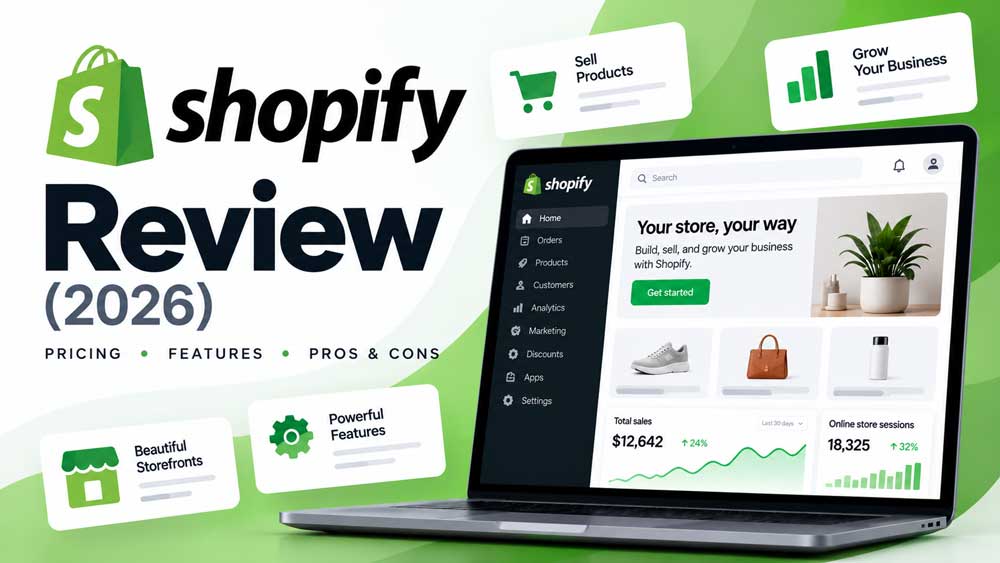
E-COMMERCE PLATFORM REVIEW · 2026
Shopify is a hosted commerce platform built to help businesses create a storefront, manage products and orders, accept payments, and sell across multiple channels. Its key appeal is operational simplicity: merchants can use a single core platform for hosting, checkout, storefront management, and many everyday commerce workflows rather than assembling each component independently.
That convenience comes with trade-offs. Subscription fees, payment processing, app charges, customization limits and geographic availability can materially affect whether Shopify suits your business. This independent Shopify review examines those factors using the company’s published documentation and a buyer-focused evaluation framework.
Shopify in brief
Best suited to: Merchants who want a managed storefront and a connected everyday selling workflow.
Main trade-off: Subscription costs and platform limits versus reduced infrastructure maintenance.
Editorial methodology: This is a source-based review of Shopify’s documentation, plan comparison and product positioning, checked October 23, 2026. Rival Ratings has not tested a live paid Shopify account, checkout conversion performance, support response times or server speed. We distinguish published product claims from our recommendations and do not assign an unverified numerical rating. Verify regional entitlements, fees and current checkout terms before buying.
Quick verdict: Is Shopify worth it in 2026?
Shopify is worth shortlisting for businesses that prioritize getting an online store running and keeping it operational without managing a separate hosting and core-commerce software stack. Product management, checkout, inventory workflows, reporting and channel integrations operate inside a unified admin. For merchants who need advanced custom back-end logic, want to choose their own infrastructure or rely on niche local payment arrangements, the subscription and platform rules deserve closer evaluation.
For most conventional direct-to-consumer catalogs, the sensible first test is whether Basic or Grow can support your actual orders and team. Moving to Advanced or Plus should reflect concrete needs—such as more staff access, regional selling options, complex checkout requirements or different payment economics—rather than expectations that a higher-tier plan will automatically sell more.
Good reasons to shortlist Shopify
- Bundled hosting and an established checkout workflow reduce infrastructure decisions.
- Store themes, product management, discounts and inventory live in one admin.
- Multichannel and point-of-sale tools can reduce duplication between selling channels.
- Support, documentation and integrations are available through the Shopify ecosystem.
Reasons to compare other options
- Your store requires deep platform-level customization outside supported extension points.
- You need to control hosting, application code and deployment schedules.
- Extra payment, app, staff or point-of-sale charges would strain the budget.
- A required payment method or region-specific feature is unavailable to your business.
Shopify at a glance
| Aspect | What merchants should know |
|---|---|
| Type | Managed e-commerce subscription platform |
| Hosted online store | Included on Basic and higher online-store plans |
| Core selling tasks | Products, collections, orders, checkout, inventory, discounts and reporting |
| Design options | Shopify-developed free themes, third-party paid themes and supported theme customization |
| Payments | Shopify Payments in eligible markets; other payment providers by country |
| Integrations | Shopify apps, APIs and channel integrations, with entitlements varying by plan |
| Main strengths | Integrated workflow and outsourced core platform maintenance |
| Important limitations | Recurring costs, region-specific payment options and checkout customization tiers |
Shopify’s official online-store documentation describes the hosted store, responsive themes, pages, blogs and navigation tools. The precise features included in a subscription should always be checked in the current plan comparison.
What is Shopify and how does it work?
Shopify provides an administration interface where merchants create products, organize collections, customize a theme, configure delivery and taxes, accept orders, issue refunds and track business activity. A store owner can sell directly on a custom domain and, subject to configuration, use supported social, marketplace and in-person sales channels.
Rather than separately operating the web server and installing a commerce plugin, merchants subscribe to Shopify’s managed platform. That shifts much of the responsibility for hosting and core updates to Shopify. The business still owns tasks such as accurate product information, payment configuration, customer service, staff access, fraud decisions, regulatory obligations and the security of connected apps.
This distinction makes Shopify attractive for small teams, but it does not eliminate setup and maintenance work. An online store still needs a good product catalog, fulfillment rules, customer communication, returns policies, analytics and ongoing improvements.
Shopify features reviewed
1. Online store and theme customization
Shopify includes an online storefront on Basic and higher plans. Merchants can start with a free theme or purchase one from third-party developers, then adjust layouts, typography, colors, navigation, product templates and other components. Shopify’s theme documentation confirms that eligible paid themes can be previewed before purchase.
Useful scenario: A small apparel business needs product collections, a seasonal homepage, size variants and a consistent mobile theme. It can evaluate these requirements with a trial theme without hiring a developer to build the entire site.
Watch-outs: Not every theme supports every merchandising feature. Advanced personalization or unusual layouts may require a paid theme, app or development help. Always review theme support and test mobile behavior.
2. Shopify Checkout and payment options
Shopify provides a managed checkout where buyers review their order and provide payment and delivery information. Merchants can configure appearance and certain functions through the checkout-and-accounts editor, but advanced checkout page customizations are reserved for Plus. Standard branding and eligible post-checkout customization work differently from editing the information, shipping and payment steps.
Useful scenario: A direct-to-consumer store requires clear shipping policies, a fast ordinary checkout and a local card payment method. The merchant should test eligibility, checkout language and payment completion on a phone before selecting a plan.
Watch-outs: Payment gateways, installments, local payment methods and processing rates vary by country. Do not assume that features advertised on the U.S. pricing page are automatically available everywhere.
3. Product catalog, orders and inventory
The Shopify admin supports product information, variants, stock counts, inventory locations, order management and transfers. The inventory documentation describes how merchants can adjust quantities, receive stock, track inventory by location and work with shipments and purchase orders.
Useful scenario: A retailer runs a small warehouse and a pop-up shop. It needs location-specific stock, returns, transfers and a process for low-inventory alerts. A sandbox trial should include a product going out of stock during a purchase.
Watch-outs: Complex bundles, manufacturing workflows, subscriptions or specialized inventory rules may require apps or custom integrations. Check how inventory reconciles with accounting and point-of-sale systems.
4. Point of sale and selling across channels
Shopify connects online commerce with its point-of-sale and channel ecosystem. The current plan table lists selling via social and marketplaces, while advanced in-person features can require POS Pro, currently advertised at $89 per month per paid location on applicable plans.
Useful scenario: A merchant sells online and at events. It wants orders and inventory to appear together without manually updating separate systems, while supporting returns made through different channels.
Watch-outs: Device compatibility, supported payment terminals, POS Pro pricing and channel availability may differ by country. Test mixed online/in-store operations rather than assuming every POS capability is included in the base plan.
5. SEO, blogging and storefront discovery
Shopify includes editable SEO titles, meta descriptions, product and collection URLs, image alt text and blog pages. According to the official SEO overview, it also generates a sitemap and robots.txt, sets canonical tags and provides SSL certificates. These foundations help site owners establish an indexable store, but they do not guarantee organic rankings.
Useful scenario: A skincare brand publishes ingredient guides linking to relevant collection and product pages. It needs useful content, internal navigation, clear product descriptions and correctly handled discontinued-product redirects.
Watch-outs: Shopify has conventions for URL paths and collection/product structures. Duplicate product variants, faceted filters, weak copy and overly heavy apps can still undermine a store’s search performance. Validate implementation with Search Console and page-level testing.
6. Marketing, apps and reports
Shopify offers reporting, discounting, promotions, app integrations and customer-facing marketing options. The platform’s current plan table describes real-time reports and analytics, but specific advanced integrations, app subscriptions and data access can still vary by plan or paid add-on.
Useful scenario: A merchant connects email marketing, customer support and accounting tools. The value comes from removing repeated data entry and measuring repeat purchases—not merely adding integrations.
Watch-outs: An app may add its own recurring charges, permissions, tracking scripts and dependencies. Examine whether multiple apps duplicate the same function, and review the effect on store speed and customer privacy.
7. International selling and growth
Shopify provides country- and region-oriented selling features such as localized storefronts, translations and eligible local payment methods. The plan comparison highlights additional regional-selling and shipping features on higher tiers, while some advanced tools depend on Shopify Payments availability.
Useful scenario: A store expands from domestic orders to selected foreign markets and needs region-specific pricing, duties and customer communication. It should model cross-border costs and verify each destination before launch.
Watch-outs: Local currency display, actual settlement currency, tax calculation and payment acceptance are not the same feature. Some plans and markets cannot use every localization capability.
Shopify pricing in 2026: plans and real costs
The official U.S. Shopify pricing page, checked October 23, 2026, lists the following standard online-store plans. These are U.S. reference amounts: taxes, special promotions, currencies, payment rates and features can differ by location. Prices shown as “monthly equivalent, billed annually” require a longer commitment than month-to-month billing.
| Plan | Monthly equivalent billed yearly | Pay monthly | Notable fit or entitlement |
|---|---|---|---|
| Basic | $29 | $39 | Solo stores; standard full-featured online storefront |
| Grow | $79 | $105 | Teams needing up to five additional staff accounts |
| Advanced | $299 | $399 | Growing organizations; up to fifteen additional staff accounts and eligible regional/shipping features |
| Plus | From $2,300 under contract | Contract-specific | Enterprise-scale requirements including expanded checkout customization |
The headline plan fee does not account for every expense. Add your domain, paid theme, app subscriptions, subscriptions or upsell tools, point-of-sale add-ons, extra staff permissions where applicable, developer support, payment processing and any external integrations. A promotional first-month price is not a realistic estimate of the ongoing subscription cost.
Shopify’s plan-selection guidance suggests matching the tier to experience, current order volume and the value of higher-plan features. Merchant size alone is an imperfect signal: a small business with unusual shipping requirements may need an advanced capability, while a high-revenue store with a simple catalog might have fewer feature requirements.
Payment processing and extra transaction fees
Shopify Payments can simplify payment administration in supported countries and regions. The published U.S. reference online standard card rates on the pricing page start at 2.9% + 30¢ for Basic, 2.7% + 30¢ for Grow and 2.5% + 30¢ for Advanced. Actual rates depend on location and payment type, including any international or premium-card surcharges.
Merchants who use a separate gateway should read Shopify’s third-party payment provider rules and billing explanation. The U.S. plan table lists third-party transaction fees of 2% on Basic, 1% on Grow and 0.6% on Advanced for applicable payments, on top of the gateway’s own processing charges. Some methods are exempt, and specific rules vary by market and payment configuration.
Worked budget example: Suppose an eligible U.S. store processes $10,000 in a month through an external gateway and the Shopify third-party transaction rate applicable to its plan is 2%. The additional Shopify platform fee would be about $200 on that amount, before the external processor’s charges. This is an arithmetic illustration, not a quotation, because Shopify calculates its fees on the defined transaction base and with applicable exemptions.
Before choosing a plan, verify whether your country’s main customer payment methods are supported. A cheaper subscription with expensive or unsuitable payment options may be worse value than a higher-tier or alternative platform.
Shopify advantages: what it does well
- Integrated core platform: Hosting, checkout, themes and store admin come from a single managed service rather than several independently configured tools.
- Lower core maintenance burden: Merchants do not generally patch the underlying Shopify platform or run their own commerce web server.
- Structured operations: Products, orders, stock and reporting are handled from a familiar commerce-focused admin.
- Commerce ecosystem: Themes, apps, channel integrations and developer APIs provide ways to extend standard workflows.
- Plan progression: Merchants can evaluate staff, shipping, localization and enterprise needs as their business evolves.
These are documented product characteristics, not speed, usability or reliability findings from our own hands-on test.
Shopify disadvantages and limitations
- Recurring subscription: The full storefront depends on an ongoing platform plan, even when order volume is low.
- Payment economics: Processing and additional third-party transaction fees can materially affect margins in some countries and configurations.
- App dependence: Specialized operations may require several paid apps and create overlapping maintenance and privacy obligations.
- Checkout customization boundaries: The most advanced changes to information, shipping and payment checkout pages require Plus.
- Infrastructure and code control: Businesses cannot operate Shopify as a self-hosted application and must use its supported extensibility model.
- Regional variability: Shopify Payments, eligible local methods, POS hardware, and some global-selling features depend on operating location.
For a store choosing between platforms, the important question is which of these limitations affects actual requirements. Avoid paying to solve limitations that your business does not have.
Who is Shopify best for?
First-time sellers and solo founders
Shopify is a sensible candidate for a conventional catalog if you want managed hosting and a guided online-store setup. Start with an accurate price model, including the local payment gateway, and test the full order-to-refund process before committing to an annual term.
Growing direct-to-consumer brands
Brands with recurring orders may benefit from connected catalog, reporting, discounts and channel workflows. Review whether the subscription tier meets staff and shipping requirements, then verify that paid apps add measurable value.
Retailers with in-person sales
Stores operating pop-ups or physical branches should compare Shopify’s POS configuration, hardware and paid-location charges. Inventory accuracy, mixed returns and customer support matter more than a generic ‘omnichannel’ label.
Highly customized or technical businesses
Shopify can support advanced integrations and custom storefronts, but businesses needing unusual checkout logic or infrastructure control should validate technical limits and compare a self-hosted commerce system. Request an implementation plan before assuming the more expensive plan resolves every requirement.
Shopify vs WooCommerce: when should you choose the alternative?
Shopify and WooCommerce differ less in the idea of an online store than in who operates its infrastructure. Shopify bundles much of the core into a managed subscription; WooCommerce offers a free WordPress plugin and greater control over hosting, extension selection and underlying code, while increasing maintenance responsibilities. Our WooCommerce Review (2026) examines its hosting, payment gateway and plugin trade-offs in depth.
If you’re choosing between them, our Shopify vs WooCommerce (2026) comparison explores total cost, SEO, payment fees, security, customization and migration side by side. The decision should be based on what your team can operate, the payment methods your customers need, and which workflows you can test successfully.
In particular, do not assume that WooCommerce’s free core plugin means a free store or that Shopify’s subscription covers every app and transaction. Model a complete year of operation for both approaches.
A practical Shopify trial checklist
Rather than rely on a product demo alone, test Shopify with the products, customers and exceptions your store actually handles. Use a trial store and sandbox payments where supported; do not mix test orders with real customer records.
- Build: Create five products, variants, collections, a help page and a mobile-friendly homepage.
- Price: Configure domestic and international delivery, discounts, taxes and the payment provider for your region.
- Transact: Run successful and failed payments, a refund, an out-of-stock order and a return scenario.
- Operate: Add a staff user on an eligible plan, change inventory at different locations and generate a usable order report.
- Promote: Edit product SEO metadata, link a buying guide to relevant products and inspect canonical behavior.
- Extend: Identify every app needed for must-have functions and calculate each recurring fee and permission request.
- Exit: Export a representative product catalog and identify which records or relationships would be difficult to migrate.
Record a simple pass, partial or fail for each mandatory task, plus the time needed for staff training and likely monthly operating costs. The best plan is the lowest-cost option that reliably supports the work you actually perform, not necessarily the least expensive sticker price.
Frequently asked questions about Shopify
It can be a practical starting point for beginners because the core online store and hosting are managed together. You still need to set up products, payment methods, shipping, returns, tax obligations, branding and customer support.
The U.S. full-store plans currently advertise Basic at $29, Grow at $79 and Advanced at $299 per month when billed annually, or $39, $105 and $399 respectively when billed monthly. Plus starts at a higher contract-based rate. Regional pricing and additional costs can differ.
Payment processing fees generally apply. When a merchant uses certain external payment providers, additional Shopify third-party transaction fees may also apply, depending on plan, market and exemptions. Check your checkout configuration and billing terms.
Shopify offers SEO foundations including editable metadata, sitemaps, canonical tags and a blog, but it cannot guarantee rankings. Product usefulness, technical setup, site structure, backlinks and user experience remain important.
Yes, subject to the third-party providers available for your business country. You must account for their processing rates and any additional Shopify transaction fees. Some Shopify Payments-dependent features may not be available.
Standard branding and eligible checkout or post-checkout app options are available on Basic and higher plans. More advanced customization of the information, shipping and payment pages is available through Shopify Plus features.
Neither wins for every merchant. Shopify offers a managed platform while WooCommerce allows more direct control over a WordPress-based stack. Compare total expenses, payment coverage, maintenance effort and required customizations.
There are product and customer export paths and API options, but an exit can require mapping records, rebuilding themes and features, and redirecting URLs. Plan and test data portability before making the store dependent on specialized apps.
Our Final Say
Shopify is an attractive managed-commerce option for stores that want to focus on selling rather than operating their own web infrastructure. Its product catalog, order management, checkout, themes and connected channel tools create a workable starting point for many common online retail models. The strongest reason to choose it is workflow fit and a clear operating model—not a claim that it guarantees faster sites, better rankings or higher conversion rates.
Our recommendation: Start by checking whether your market supports the payment methods your customers expect. Then compare Shopify Basic and Grow against your needs for staff access, apps, shipping and recurring transactions. Consider Advanced or Plus only where documented requirements justify the additional expense.
For businesses deciding whether a managed platform is the right direction, see our Shopify vs WooCommerce comparison for the trade-offs in hosting, customization, SEO and long-term costs.
Official sources and editorial disclosure
- Shopify official pricing — U.S. plan pricing, processing-fee examples and feature entitlements (checked October 23, 2026).
- Shopify Online Store documentation — storefront, themes and content features.
- Shopify Checkout documentation — checkout basics and order handling.
- Shopify checkout customization documentation — plan limitations and checkout editor options.
- Third-party payment providers — external gateways and eligibility.
- Third-party transaction fee documentation — billing treatment and exemptions.
- Shopify inventory and locations — stock and transfer workflows.
- Shopify SEO overview — technical and editable SEO features.
- Shopify migration guidance — importing catalog and historical store data.
Disclosure: This independent, source-based review has not been paid for or endorsed by Shopify. Rival Ratings has not independently benchmarked a paid Shopify account for this article, and no test-derived score is presented. Any future affiliate relationships should be disclosed clearly at relevant links. Prices, plan details and merchant eligibility can change.
